How UNIDAS works.
Everything you need to trade any token, on any chain, from one Telegram chat. The same guide is in the bot under /help.
Get started
- Open the bot and tap /start. It creates your wallets, or you can import your own.
- Save your private keys from the message, then tap I’ve saved my keys, delete this.
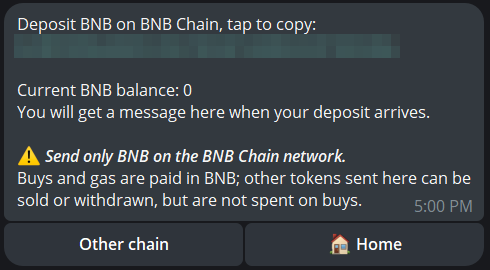
- Deposit: /deposit shows your address. Send a chain’s coin to it on that chain.
- Trade: paste a token address or a DexScreener / pump.fun link, pick an amount and Confirm.
Wallets & keys
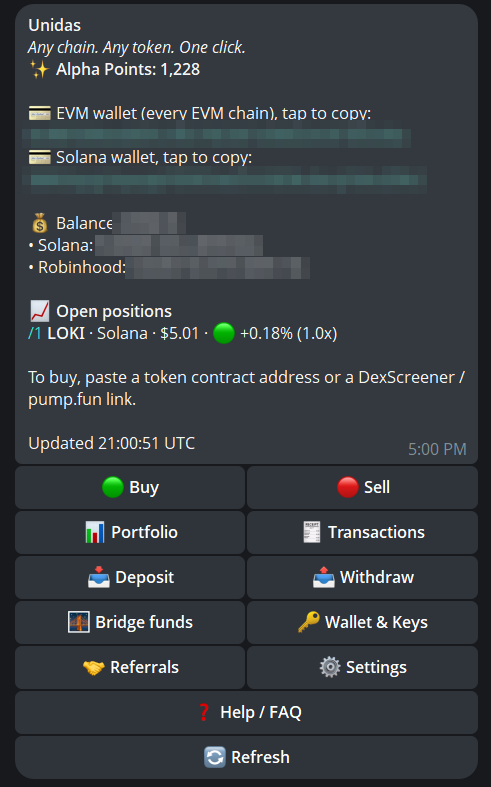
Your account has two wallets: one Solana wallet, and one EVM address for Ethereum, Base, Arbitrum, BNB Chain and Robinhood Chain.
Your keys are AES-256 encrypted, and the bot signs only what you confirm. A new wallet’s keys come in one message: save them, as once it reaches you they can’t be shown again. If it never arrived, /wallet shows Retry creation backup.
Import: /wallet → Import EVM key or Import Solana key. Private keys only, not recovery phrases. Importing replaces your current wallet, so move its funds out first or keep its key.
Never share a key: whoever has it controls the funds.
Deposits
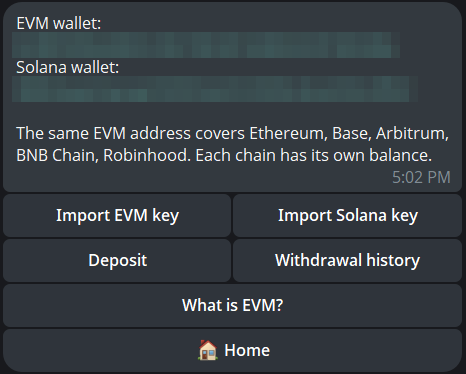
Send only each chain’s native coin, the one gas is paid in: SOL on Solana, BNB on BNB Chain, ETH on Ethereum, Base, Arbitrum and Robinhood Chain.
Your EVM address is the same on every EVM chain: the network you send on decides where it lands. From an exchange, pick that exact network.
Open /deposit, pick the chain and copy your address. Send within 10 minutes and the bot tells you when it arrives.
Already holding USDC (USDG on Robinhood)? Swap it to the coin with no fee: /sell → USDC.
Buying
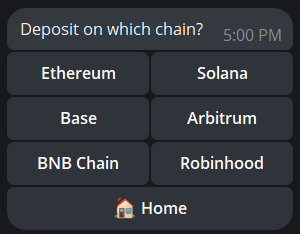
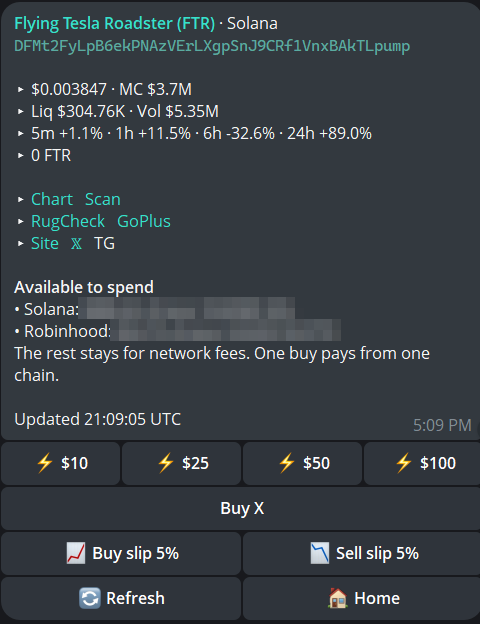
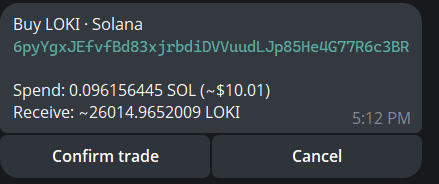
Paste a token address or a DexScreener / pump.fun link. Tap Buy $10, $25, $50 or $100, or Buy X for another amount. Check the preview, then Confirm.
Any chain can pay. Your funds don’t need to be on the token’s chain: ETH on Base can buy a Solana token in one confirm. The token arrives in your wallet on its own chain.
Instant buy: turn it on in /settings and the ⚡ buttons buy at once, with no preview. Every tap is a buy: tapping twice buys twice.
Minimum $5 for Solana tokens and $10 on EVM chains; maximum $100,000 per buy.
Selling & take profit
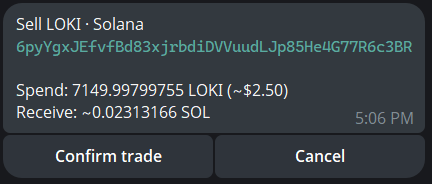
/sell, /portfolio or a shortcut like /1: Sell 25%, 50%, 75% or 100%, or Sell X for a number of tokens. You receive the chain’s native coin.
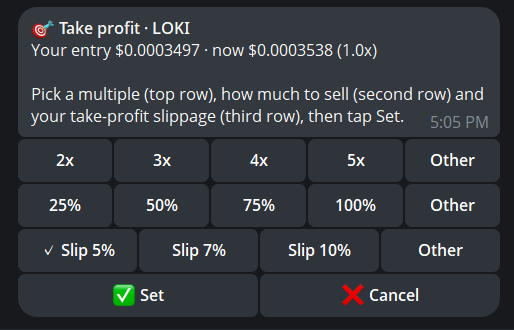
🎯 Take profit sells when the price hits 2x, 3x, 4x, 5x or your own multiple of what you paid. It has its own slippage (5% minimum). If a sell doesn’t go through, it tries again once a minute while the price holds; 3 failed sells end it. One per token, up to 7 at once, each lasting 36 hours.
Bridge & withdraw
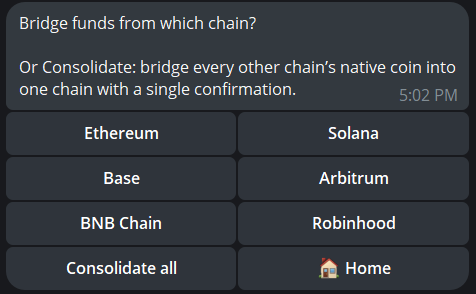
Bridge: /bridge moves a chain’s coin or USDC (USDG on Robinhood) to another chain, into your wallet or another address. Minimum $1.
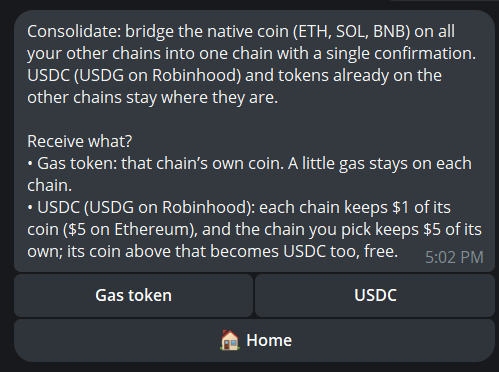
Consolidate all moves each chain’s coin onto one chain in one confirm, as its gas token or its USDC. Some coin stays on each chain for gas.
Withdraw: /withdraw sends a coin or token to any address on the same chain. Sending to an exchange? Check it accepts that coin on that exact network.
Send all and Bridge all keep back network fees in the chain’s coin. USDC is sent in full.
Fees
The preview shows what you spend and receive. Network fees still apply. A token that takes a tax on every transfer is flagged: set your slippage above that tax, or the trade can fail.
Settings
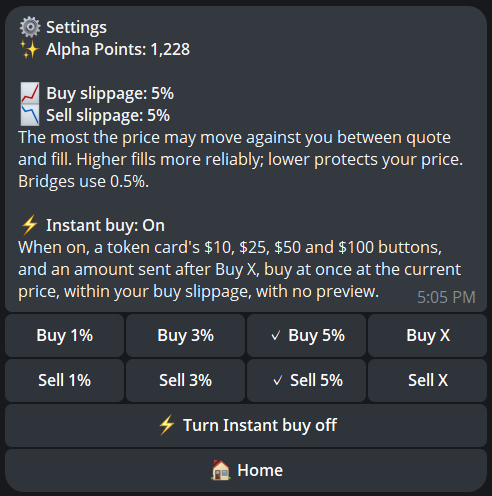
Slippage is how far the price may move against you while your trade runs. Buys and sells each have their own (3% to start): set them in /settings, or with Buy slip and Sell slip on a token card. Bridges use 0.5%. Above 10% the bot asks you to confirm.
Instant buy is switched on and off here too.
Portfolio & PnL cards
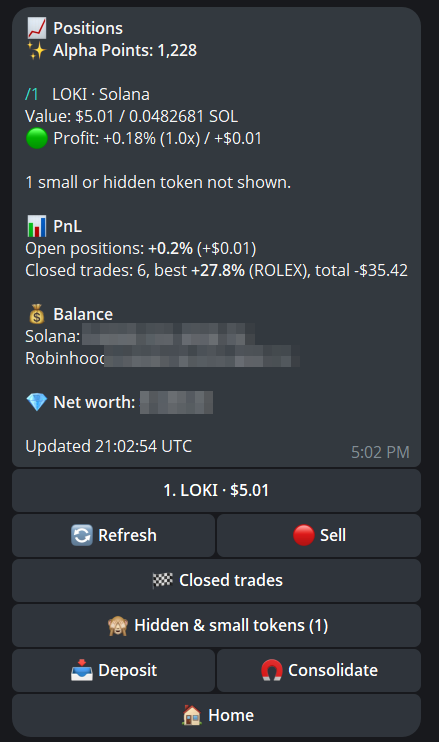
/portfolio lists your tokens with their value and profit against what you paid here. Tap a token, or /1, /2…, to sell it.
Spam tokens sent to you wait under Review new tokens on Home: tap No, hide it, or Hide all.
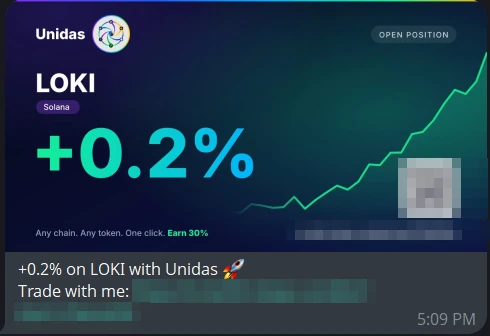
PnL cards: share a result as an image with your referral link, from Closed trades in /portfolio or Share PnL card on a sale’s receipt. Cards show the percent only, never amounts or your wallet.
/transactions shows your trades and bridges; /withdrawals shows your withdrawals.
Leaderboard Coming soon
/leaderboard ranks the best single trades in percent only, never amounts or wallets.
Join from /settings, under your @username or a pseudonym. You need to be in the leaderboard room; leaving it takes you off. In the room, /leaders posts the top 10.
The 🚀 ATH tab lists the ten biggest sales by anyone, with what they cost and sold for, but no names.
Referrals & Alpha Points
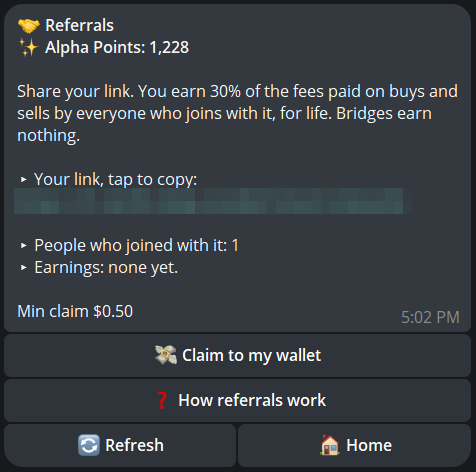
Share your link from /referrals. Everyone new who starts the bot through it earns you 30% of the fees they pay on buys and sells, for life. Partner tiers are available.
Earnings from every chain build up as USDC on Base. Tap Claim to my wallet to receive them in your EVM wallet on Base (from $0.50). Replacing your EVM wallet? Claim first.
Alpha Points: buys, sells and bridges earn points. Your total is on Home. Stack them now: rewards are on the way.
Safety
Our code is audited on an ongoing basis, and every change is reviewed before it goes live. In place today:
- Encrypted keys: AES-256 encrypted. The bot signs only what you confirm.
- Fresh quote at Confirm: Trades run within your slippage; above 10% the bot asks first.
- No surprise trades: A trade runs when you confirm it, or when your own take profit triggers. Never later.
- Every trade tracked: The bot follows each transaction to the end and messages you when it completes, fails or is refunded.
- Spam and tax warnings: Unknown tokens wait for your review; tokens with a transfer tax are flagged.
- Private by design: Logs are scrubbed of keys and secrets. Admins never contact you first.
Troubleshooting
After Confirm the bot tracks your transaction, including cross-chain trades, and messages you when it completes, fails or is refunded.
Still processing? Don’t send it again: wait for the outcome. Home and /transactions show its status.
A new preview? The price, your balance or the quote changed. Check it and Confirm again.
No route? Some new tokens and very small amounts can’t be routed yet. Try again later or with a larger amount.
Need help? Join the community at @UnidasTradePortal for support. Admins will never contact you first. Don’t post personal transaction details in the chat, and never share your private key.
Commands
/startHome/buyBuy a token/sellSell a token/portfolioYour tokens and profit/depositYour deposit addresses/bridgeMove funds between chains/withdrawSend to any address/walletKeys and import/settingsSlippage and instant buy/referralsYour link and earnings/transactionsTrades and bridges/helpThis guide, in the botFAQ
Who holds my keys?
Your wallets are created for you (or imported by you), and their keys are AES-256 encrypted. The bot signs only what you confirm. You get your keys when the wallet is created, so you can always take your funds elsewhere.
Which chains are supported?
Solana, Ethereum, Base, Arbitrum, BNB Chain and Robinhood Chain.
Do I need funds on the token’s chain?
No. Any funded chain can pay: the bot buys across chains in one confirm, and the token lands in your wallet on its own chain.
What should I deposit?
Each chain’s native coin: SOL, ETH or BNB. Holding USDC? Swap it to the coin free with /sell → USDC.
What does it cost?
0.88% on buys and sells, cross-chain included. 0.68% for a bridge on its own. Deposits, withdrawals and coin ⇄ USDC on the same chain are free. Network fees still apply.
What is the minimum buy?
$5 for Solana tokens and $10 for tokens on EVM chains.
My trade failed. Where are my funds?
The bot messages you with the outcome. If a route fails, it’s refunded to your wallet, and the refund can arrive as another coin (such as USDC), minus the route’s costs.
Why did a trade fail on a taxed token?
Some tokens take a tax on every transfer. The bot flags them: set your slippage above that tax and try again.
Someone sent me a token I don’t know.
It’s often spam. It waits under Review new tokens on Home: tap No, hide it, or Hide all.
How are referral earnings paid?
As USDC on Base, claimed to your EVM wallet from /referrals once you have $0.50 or more.
What are Alpha Points?
Points for every buy, sell and bridge. Your total is on Home. Rewards are on the way.
How do I get help?
Join the community at @UnidasTradePortal for support. Admins will never contact you first. Don’t post personal transaction details in the chat, and never share your private key.